[ Revenue Data ]
Connect RevenueCat to Transolve
Generate a read-only API key in RevenueCat and link it to Transolve so your subscription revenue flows into the profitability dashboard automatically.
Prerequisites
- A RevenueCat account with at least one project
- Admin access to your RevenueCat project
- A Transolve account
Open your project
Log in to app.revenuecat.com. From the dashboard, select the project (app) you want to connect to Transolve. If you manage multiple apps, make sure you pick the correct one — the API key you generate will be scoped to this project.
Navigate to API Keys
In the left sidebar, scroll to the bottom and click Apps & Providers. In the submenu that appears, click API Keys. This is where all secret keys for your project live.
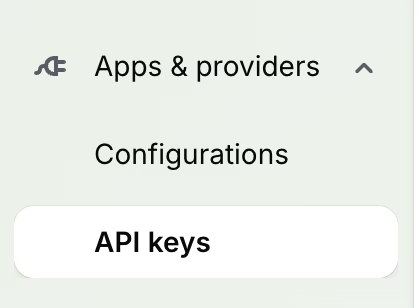
Apps & Providers in the RevenueCat left sidebar
Create a new Secret API Key
Click the + New Secret API Key button at the top of the API Keys table. A creation form will appear. Fill it in as follows:
- →Name — give it something descriptive, like "Transolve Integration"
- →API Version — select v2 (required for full data access)
- →Charts & Metrics permissions — enable read-only
- →Customer Information permissions — enable read-only
- →Project Configuration permissions — enable read-only
Only read-only access is needed. Never grant write permissions to third-party integrations.
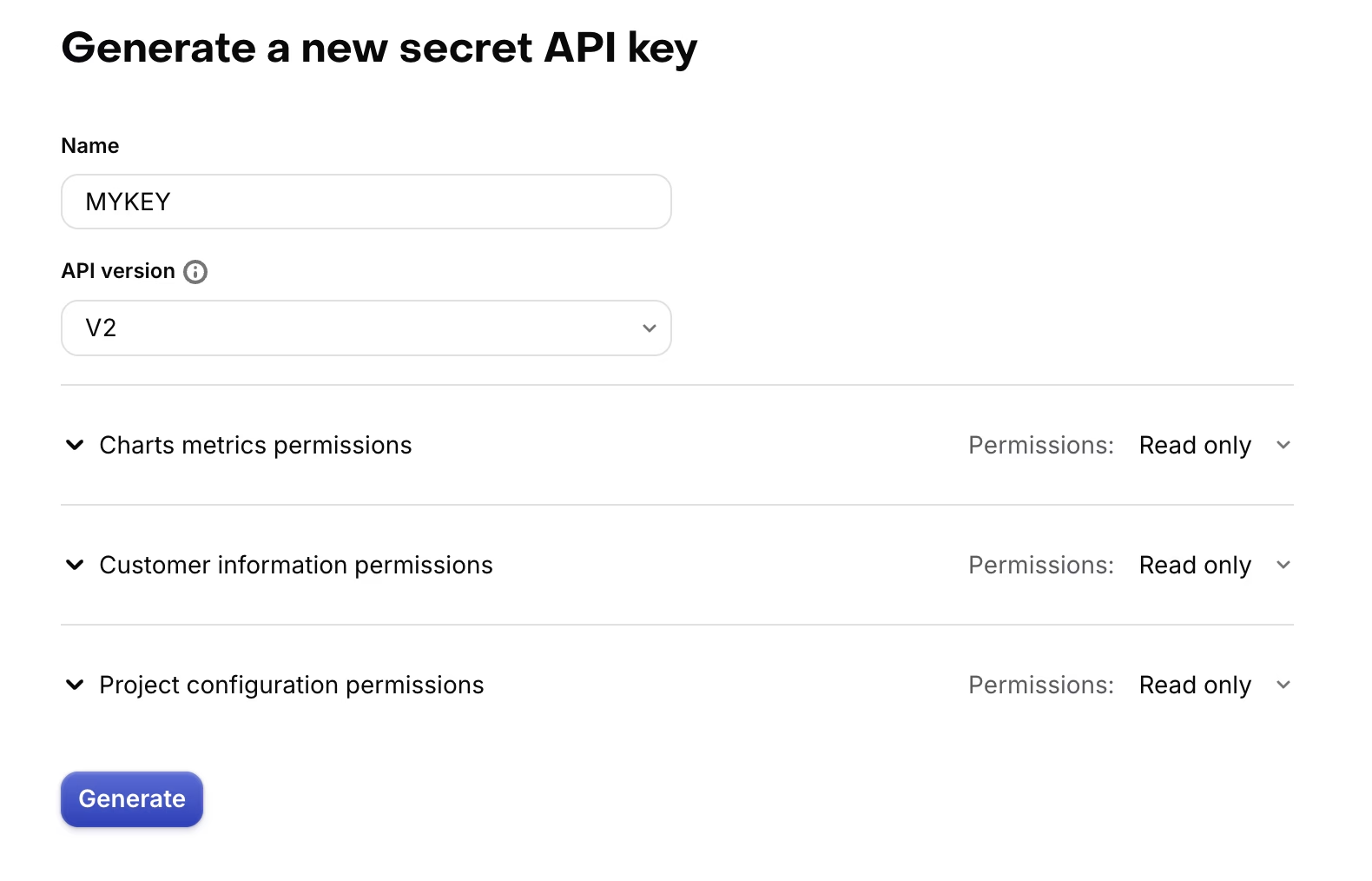
Set API Version to v2 and enable read-only for all three permission categories
Generate and copy the key
Click Generate. Your new API key will appear as a row in the API Keys table. Click the key to reveal and copy it. Store it somewhere safe — you won't be able to view it again after leaving the page.
If you lose the key, you can always revoke it and generate a new one from the same API Keys screen.
Paste the key and connect
In Transolve, go to Integrations → RevenueCat. Paste the API key you just copied into the field provided and click Connect. Transolve will verify the key and begin pulling your subscription revenue data. You should see your first data within a few minutes.
Integration complete
Your RevenueCat data is now flowing into Transolve. Check your dashboard to see subscription revenue alongside campaign spend.